
Zapya APK: Download, Install & Latest Version Guide
Zapya APK is the Android installation package for the Zapya file-sharing app. It can be used to install Zapya on a compatible Android phone or tablet when an APK installation is appropriate for your device.
Zapya is designed for transferring photos, videos, documents, apps where supported, and other files between compatible devices. It supports file-sharing workflows across Android, iPhone, computers and other supported platforms.
- 500M+ downloads worldwide
- Virus-free
- 100% Free
- Basics
What Is Zapya APK?
Zapya APK is an Android application package used to install the Zapya app on compatible Android phones and tablets.
Zapya app
The application users open and use for file sharing and transfers.
Zapya APK
The Android installation package used to install that application manually.
Simple rule: if Google Play works normally on your device, a regular store installation is usually easier. Manual APK installation makes the download source and version verification more important.
- Version intent
Zapya APK Download Latest Version
Users looking for the latest Zapya APK should verify the current Android release before downloading or installing a package.
App versions change over time. Check the release date, Android compatibility, developer information and major changes before treating any file as the current version.
- Android
Zapya APK Download for Android
If you want Zapya on an Android phone or tablet, first check whether the standard app-store installation works for your device.
Check the app
Confirm the app name and developer before installation.
Check compatibility
Make sure the version is appropriate for your Android device.
Check the source
Do not assume every file called “Zapya APK” is original or unchanged.
- Step by step
How to Install Zapya APK on Android
Manual APK installation is slightly different from installing an app directly from an app store.
Choose the file
Download an appropriate Zapya APK from a source you trust.
Open the APK
Open the downloaded installation file on your Android device.
Review permission
If Android blocks it, review the permission for that browser or file manager to install apps.
Install carefully
Continue only after confirming that you trust the source and package.
Open Zapya
Launch the app and read any permission prompts shown by Android.
Start sharing
Connect compatible devices and follow the relevant transfer workflow.
- Zapya open
How to Open Zapya After Installation
After installation, find the Zapya icon on your home screen or in your Android app list and tap it. On first launch, Android may ask you to approve permissions required for particular functions.
Read each permission request and allow only the permissions needed for the features you intend to use. If Zapya installs but does not open correctly, check your Android version, available storage, permissions and app version.
- Mobile use
Zapya for Android
Zapya for Android is designed around sharing and transferring files between compatible devices.
- Photos
- Videos
- Documents
- Multiple files
- Phone to PC
- Cross-platform sharing
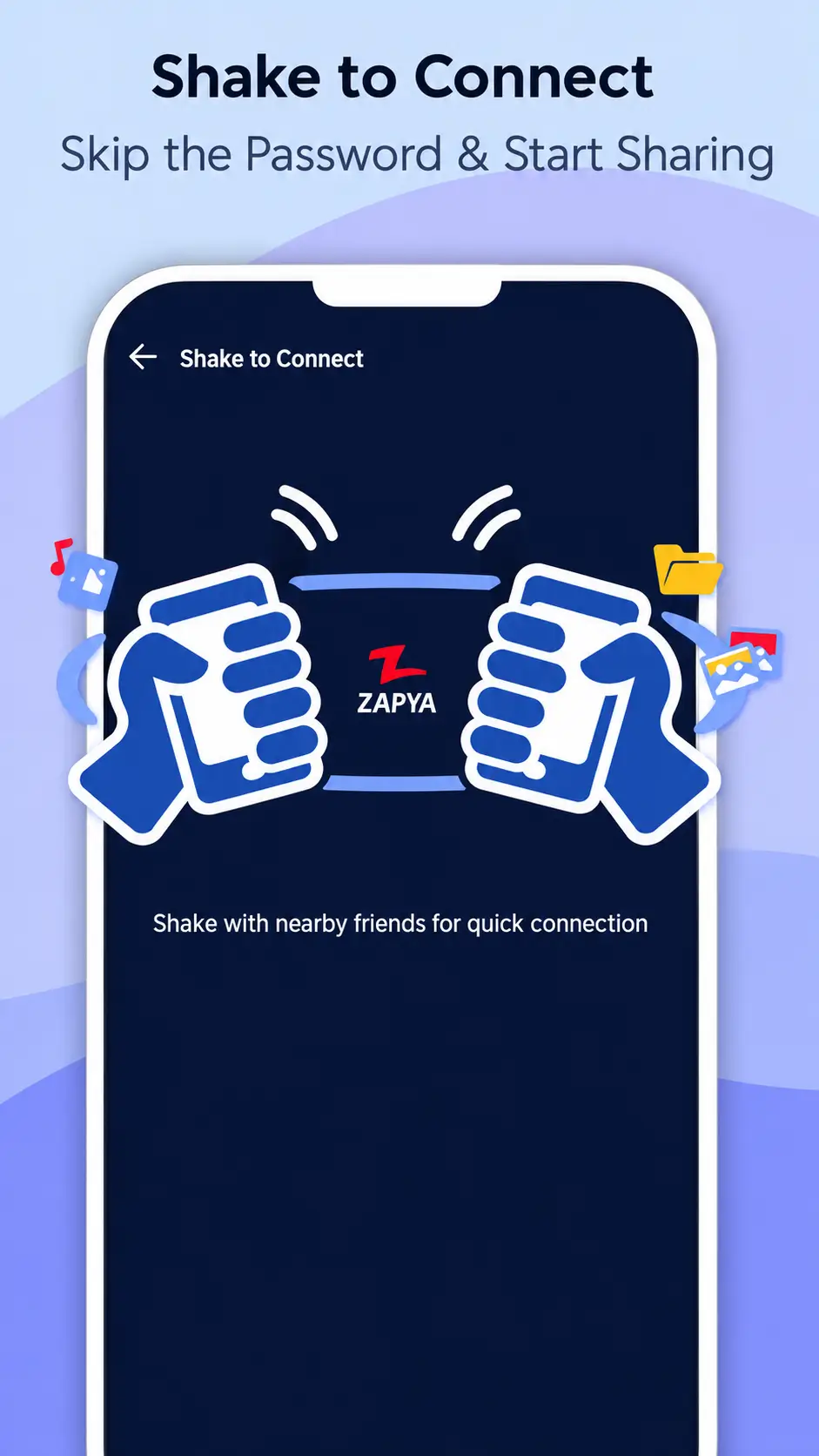
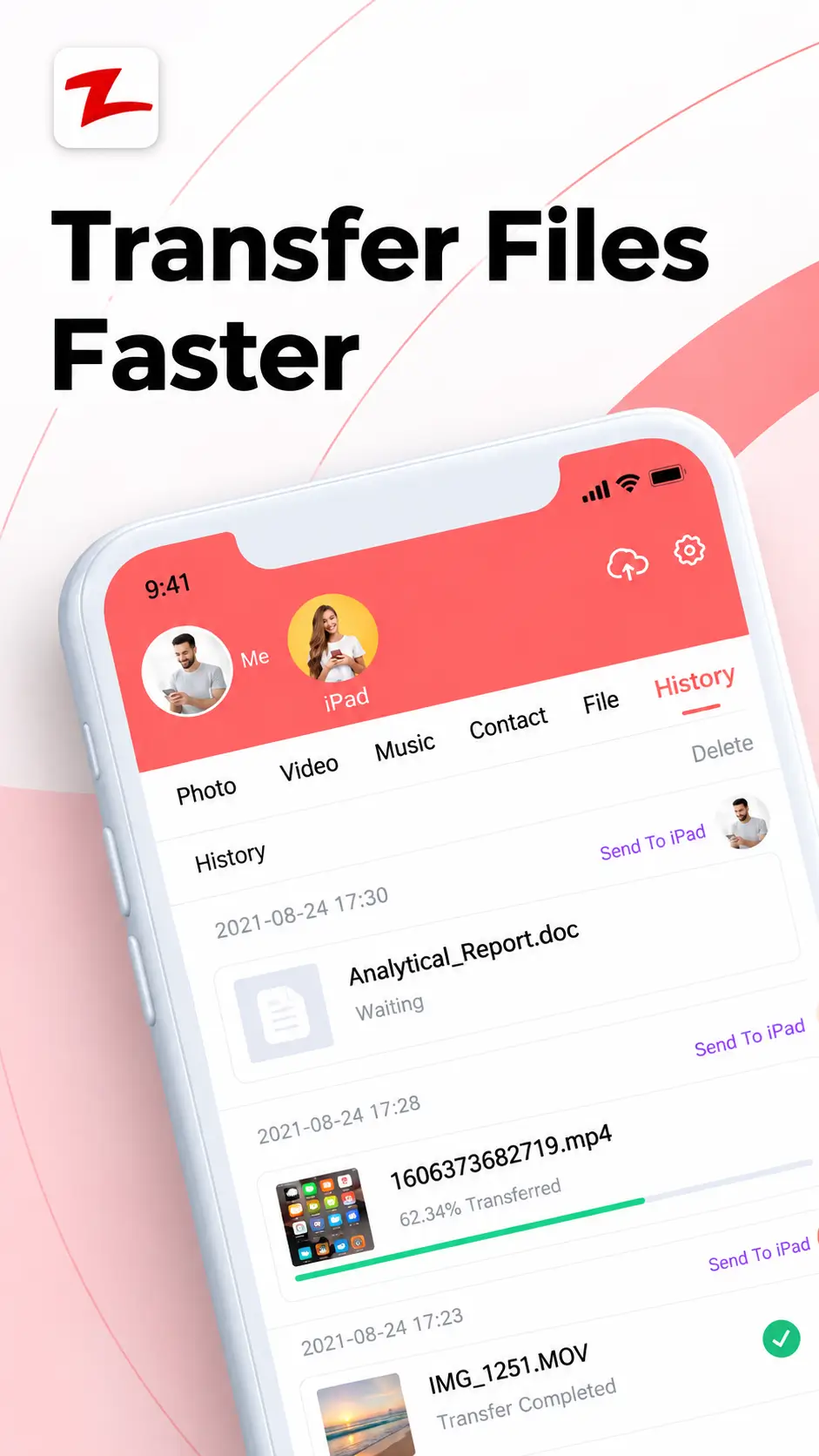
Depending on the current version and connected devices, Zapya can be used for moving photos, videos, documents and other supported content between phones and computers.
- File sharing
Zapya Transfer
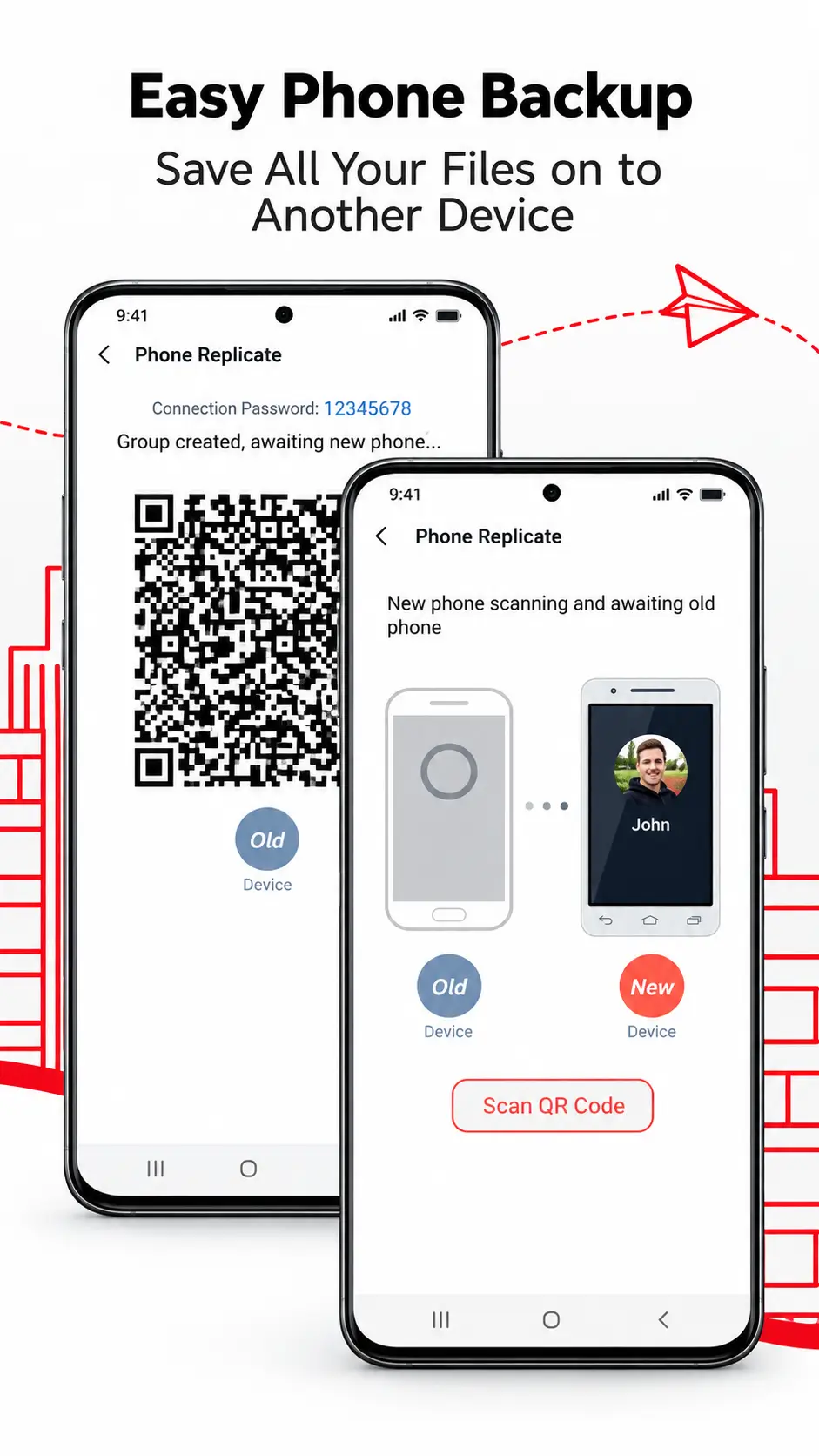
Zapya’s main purpose is file sharing. A typical transfer involves connecting compatible devices, selecting files and starting the transfer.
Phone to PC
Move supported content from a phone to a computer.
Phone to phone
Share supported files between compatible phones.
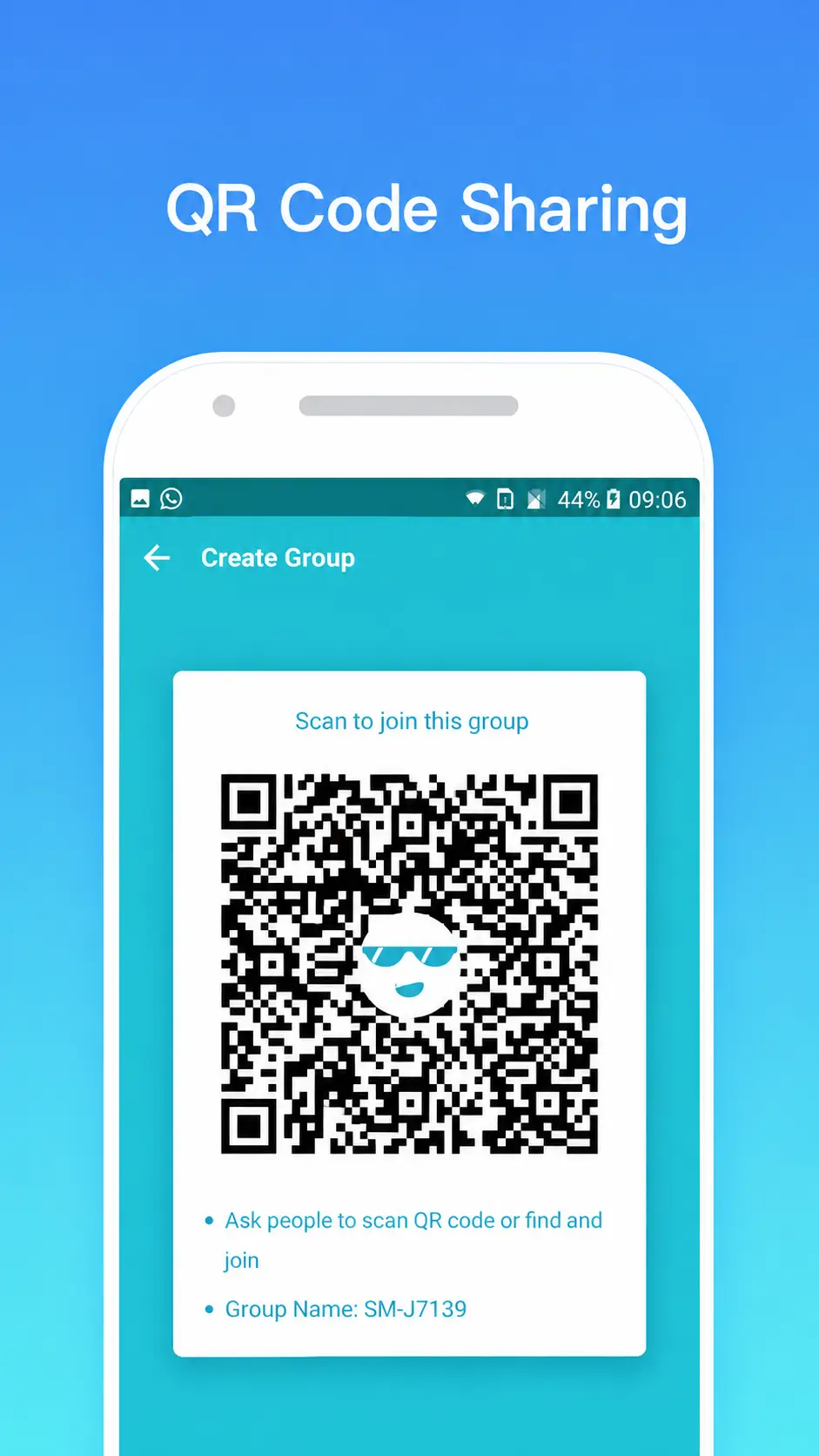
QR sharing
Use QR-based connection where the current version supports it.
PC to phone
Send supported files from a computer to a phone.
The current Android listing also describes Group, QR Code and Send/Receive sharing modes.
- PC search intent
Zapya APK Download for PC
An APK is an Android application package, so a Zapya APK is not a native Windows installer.
Using Zapya on Windows
For normal Windows use, start with the dedicated PC or Windows software guide rather than treating an APK as Windows software.
- Modified packages
Zapya APK Mod
- A mod APK is not the same as the original developer package
A Zapya APK mod generally refers to a package changed by a third party. It may advertise modified features, but you may not know what code was changed, whether permissions were altered or whether updates will work correctly.
For that reason, this guide does not present modified APKs as equivalent to the original Zapya application.
- Account intent
Zapya Login
Most people searching for Zapya login are trying to understand account-related functions or where sign-in settings are located. Account management should be treated separately from the basic file-transfer workflow.
If you are dealing with an existing Zapya account, use the developer’s official account or support pages rather than entering login details into an unknown third-party website.
- Trust
Is Zapya APK Safe?
No APK should be considered safe only because its filename contains the name of a known app.
Before installing
- Check where the file came from
- Verify the app and developer
- Review requested permissions
- Check version compatibility
Avoid unnecessary risk
- Be careful with modified packages
- Do not approve unrelated permissions
- Use current privacy information
- Prefer trusted sources
- Android permissions
Zapya Permissions
File-sharing applications can require access to device features or files to perform specific tasks. The permissions Zapya requests may depend on your Android version and the features you use.
Before approving a permission, read the Android prompt and consider whether it makes sense for the function you are trying to use. If you previously denied a permission and a feature no longer works, review Zapya’s permissions in Android app settings.
- Troubleshooting
Zapya APK Problems & Fixes
APK not installing
Possible causes include Android incompatibility, insufficient storage, a damaged download, installation restrictions, an existing conflicting version or a package built for a different configuration.
Installed but not opening
Restart the app and device, check storage and compatibility, review permissions, and see whether a newer fix is available.
- Terminology
Zapya APK vs Zapya App
Zapya App
The application you actually use for file sharing and transfers.
Zapya APK
The Android installation package used to install that application.
For most users, the important question is not “APK or app?” but which installation method is appropriate and trustworthy for the device being used.
- Version choice
Latest Version or Old Zapya APK?
The newest release is generally the first version users should investigate because it may contain recent fixes, compatibility changes and improvements. Some users still look for older versions because of device compatibility or interface preferences.
Older does not automatically mean better.
An old version may lack newer fixes, may not work correctly with current devices and may no longer match the developer’s latest privacy or security changes.
- Direct answers
Frequently Asked Questions
Short answers for common Zapya APK searches.
What is Zapya APK?
Zapya APK is an Android installation package for the Zapya file-sharing application. It can be used to install Zapya manually on compatible Android devices.
Where can I download Zapya APK?
Use a trusted source and verify the application name, developer and version before installing. For the current official Android release, check the current app-store or developer information.
Is Zapya APK available for Android?
Yes. APK is the Android application package format, so Zapya APK is intended for compatible Android devices.
Can I download Zapya APK for PC?
An APK is designed for Android, not as a native Windows installer. For computer use, start with the Zapya for PC or Windows guide.
What is Zapya APK mod?
A mod APK is a package modified by a third party rather than the original developer. Modified packages can introduce security, privacy, update and compatibility uncertainty.
Is Zapya APK safe?
Safety depends on the source, version, requested permissions and whether the package has been modified. Verify the application and use a trusted source before installing.
Does Zapya work without internet?
The current official listing describes offline file-sharing methods between compatible devices as well as online browser-based transfer options.
What is Zapya transfer?
Zapya transfer refers to using Zapya to send or receive supported files between compatible phones, computers and other devices.
Does Zapya require login?
Account-related functions and basic device-to-device file transfers are separate use cases. For account management, use official Zapya account or support pages.
How do I open Zapya?
After installation, tap the Zapya icon from your Android home screen or app list and review any permissions shown by Android.
Why is Zapya APK not installing?
Possible causes include Android incompatibility, low storage, installation restrictions, a damaged file or conflict with an existing version. Use the exact Android error message to identify the next step.